








The Emerson AMS Trex Device Communicator represents a significant evolution from the legacy Rosemount 475, offering advanced diagnostics for industries ranging from petrochemicals to power generation. However, the complexity of field environments—characterized by signal noise, varying power levels, and hardware configurations—can occasionally lead to connection failures.
This guide outlines systematic troubleshooting steps to help you restore communication and maintain operational efficiency.

01 Quick Reference: Common Issues and Solutions
| Problem Phenomenon | Potential Cause | Recommended Yunrui Solution |
| Message: “No Voltage Detected” | Lead set not properly connected | Securely attach lead sets to device terminals |
| 4-wire or wireless device usage | Expected behavior for battery-powered units; proceed as normal | |
| Intermittent or Unstable Comm. | Insufficient loop current or voltage | Verify at least 4mA current and 12VDC at the device terminals |
| Noise interference or signal distortion | Use an oscilloscope to check for noise; optimize grounding | |
| Poor wiring or loose terminals | Inspect for oxidation/damage and retighten all connections | |
| Device Not Recognized | Incorrect polling address | Change the polling address to ensure it matches the device |
| Auto-Connect Failure | Option disabled in settings | Enable Auto-Connect in Settings > AMS Trex App Settings |
| Device not using Address 0 | Set device to Address 0 or manually select from Device List | |
| Bluetooth Sync Failure | Adapter not enabled or incorrect drivers | Ensure Windows Bluetooth stack is active; restart PC |
| Trex not in “Listen for PC” mode | Set Trex to “Listen for PC” and toggle connection to Bluetooth |
02 Detailed Technical Analysis
1. Handling the “No Voltage Detected” Warning
This message occurs when the Emerson AMS Trex does not sense the expected loop voltage. First, verify the physical integrity of the lead set connection to the Emerson AMS Trex HART terminals. If you are communicating with a 4-wire device (which has its own power source) or a wireless transmitter, this message is a standard notification and does not indicate a fault. At Xi’an Yunrui Trading Co., Ltd. (Yunrui), we often advise clients to check the power module status if this warning persists on 2-wire loops.
2. Resolving Intermittent Communication
Signal instability often stems from the physical layer of the HART loop.
Power Thresholds: Most HART devices require a minimum of 250 ohms of resistance and at least 12VDC to maintain a stable digital signal overlay.
Signal Noise: High-frequency noise from nearby VFDs or poor shielding can “mask” the HART signal. Check for proper cable shielding and ensure the shield is grounded at only one point (usually the control room side).
3. HART Polling and Addressing
If a device is not automatically found, the Emerson AMS Trex may be looking at the wrong address. While most devices default to Address 0, some systems use multi-drop configurations (Addresses 1-63). If Auto-Connect fails, use the manual connection wizard to scan the specific range assigned to your instrument. For urgent site requirements, Xi’an Yunrui Trading Co., Ltd. (Yunrui) maintains a library of Device Descriptions (DD) to help verify non-standard addressing.
03 Preventative Maintenance and Best Practices
To minimize downtime, Xi’an Yunrui Trading Co., Ltd. (Yunrui) recommends the following maintenance protocols:
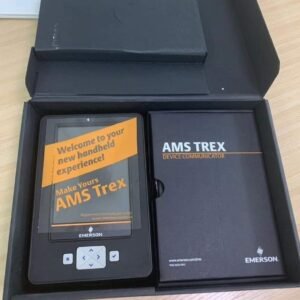
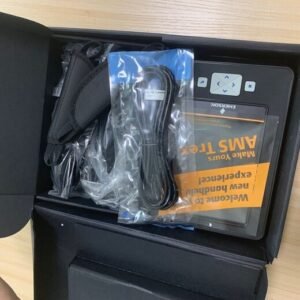
Regular Accessory Inspection: Check lead sets and magnetic hangers for wear or fraying. We provide genuine replacements, such as the Emerson AMS Trex AC Adapter/Plug kit (TREX-0003-0004), to ensure consistent power supply.
Software Lifecycle Management: Use the Upgrade Studio PC application to keep the Emerson AMS Trex OS and Device Descriptions (DDs) updated. New instrument models require the latest DD files for full diagnostic functionality.
Environmental Protection: While the Emerson AMS Trex is rugged (IP54 rated), keep the magnetic and infrared interfaces clean. Dust or oil buildup on these ports is a frequent cause of “ghost” connection failures.
04 Why Source from Xi’an Yunrui Trading Co., Ltd. (Yunrui)?
In the specialized field of industrial process automation, equipment reliability and technical support are paramount. Choosing Xi’an Yunrui Trading Co., Ltd. (Yunrui) as your procurement partner offers several strategic advantages:
-
Genuine Product Assurance: We guarantee 100% factory-original Emerson AMS Trex communicators and Fisher DVC6200 positioners, each with verifiable serial numbers and manufacturer warranties.
-
Technical Expertise: We don’t just sell boxes. The team at Xi’an Yunrui Trading Co., Ltd. (Yunrui) provides deep technical support, helping you decode complex model codes and resolve field connectivity issues like those mentioned in this guide.
-
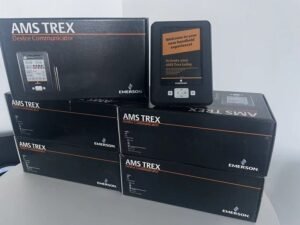
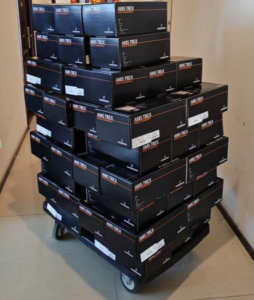
Strategic Inventory Management: To avoid the long lead times common in the industry, Xi’an Yunrui Trading Co., Ltd. (Yunrui) maintains significant stock in our Xi’an warehouse, allowing for immediate global dispatch of core models like the Trexlhpklws3s.
-
Global Logistics Mastery: From Saudi Arabian National Address compliance to Middle Eastern DDP (Delivered Duty Paid) services, we ensure your high-precision instruments clear customs without delay.